Blogger Configuration

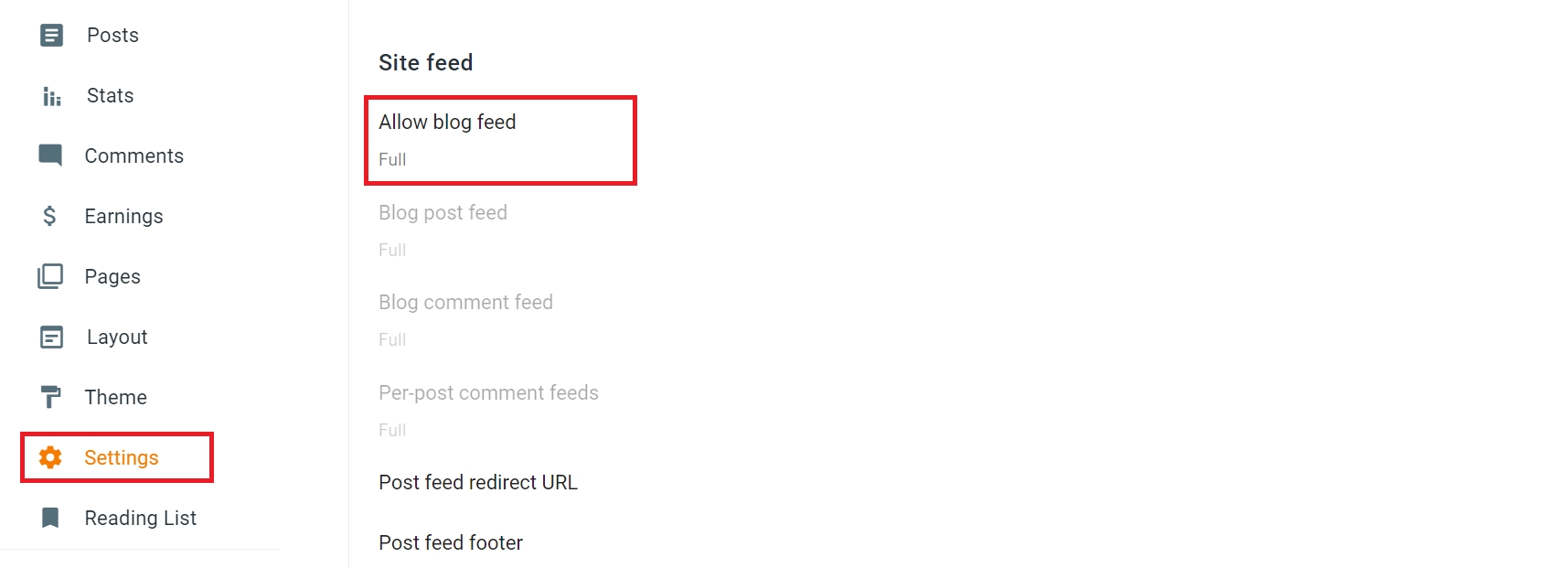
Setting for your blogger site Settings > Site feed > Change to Full

To make blogger post load perfectly as product you must put some data inside post description, like Price, Discount Price, Variations, Price Variations, Discount Variations

Here The List of ID we used

  • app_price - App will use value from this ID for price

  • app_price_discount - App will use value from this ID for price discount

  • app_variants - App will use value from this ID for variant and or price variant

1. Full Data - Product With Variations and Discount

2. One Price - Without Discount & Variations

3. Price With Discount - Without Variations

4. Variations Without Price

5. Variations Price - Each Variation has Price

5. Variations Price and Discount - Each Variation has Price and Discount
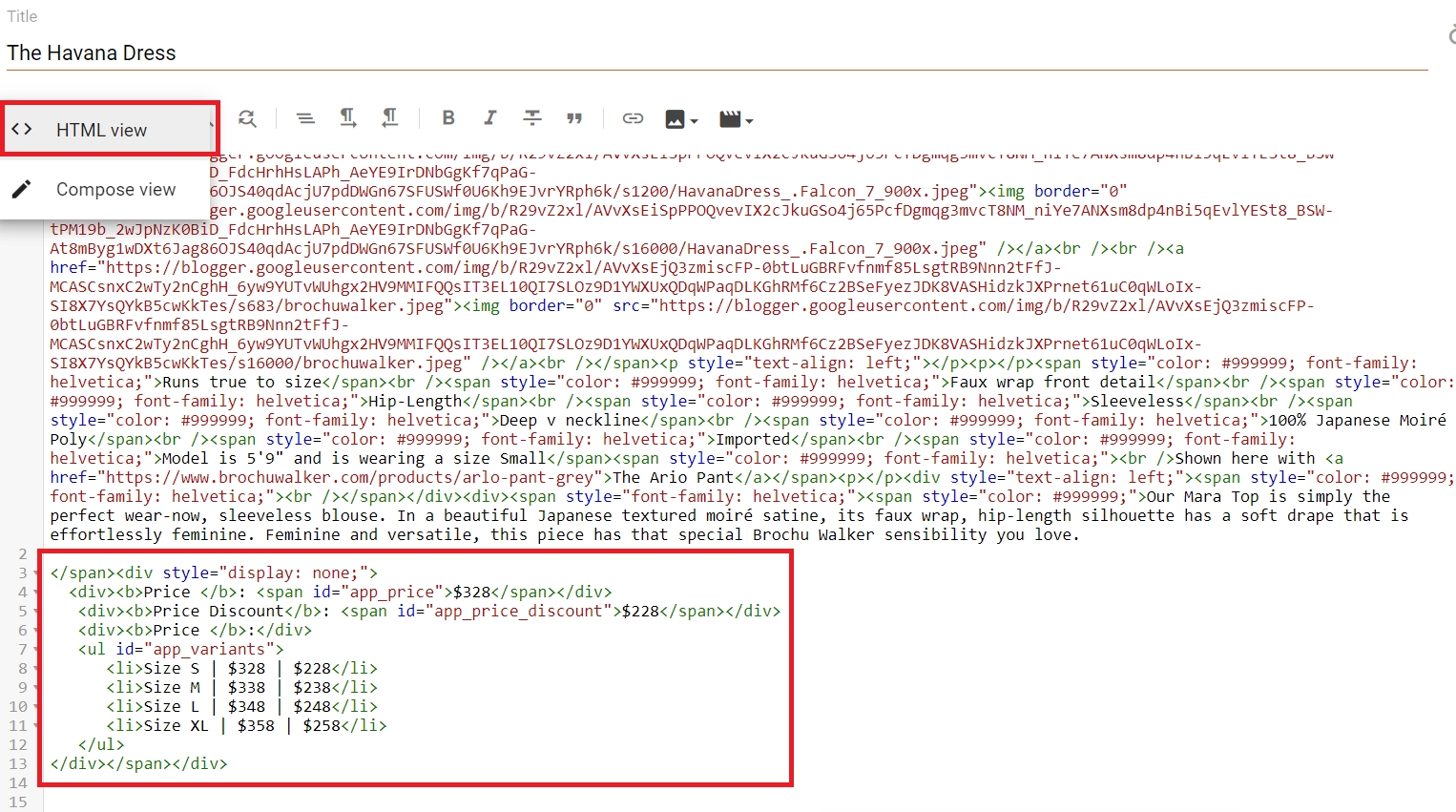
Here how to add data, when add new post select toggle to HTML view

circle-info

All Data above is optional, you can put only one, two or all data.

Hide Place Data from Article View

You can hide the data from description view you can add css style display none